21 lines
977 B
Markdown
21 lines
977 B
Markdown

|
# User Impersonations
|
||
|
|
|
||
|
|
With user impersonations you can easily impersonate any user on your site. This will come in handy when you need to debug an issue that a specific user is experiencing.
|
||
|
|
|
||
|
|
Impersonating a user will allow you to login to your application acting as a specific user.
|
||
|
|
|
||
|
|
- [Impersonate a User](#impersonate)
|
||
|
|
|
||
|
|
<a name="impersonate"></a>
|
||
|
|
## Impersonate a User
|
||
|
|
|
||
|
|
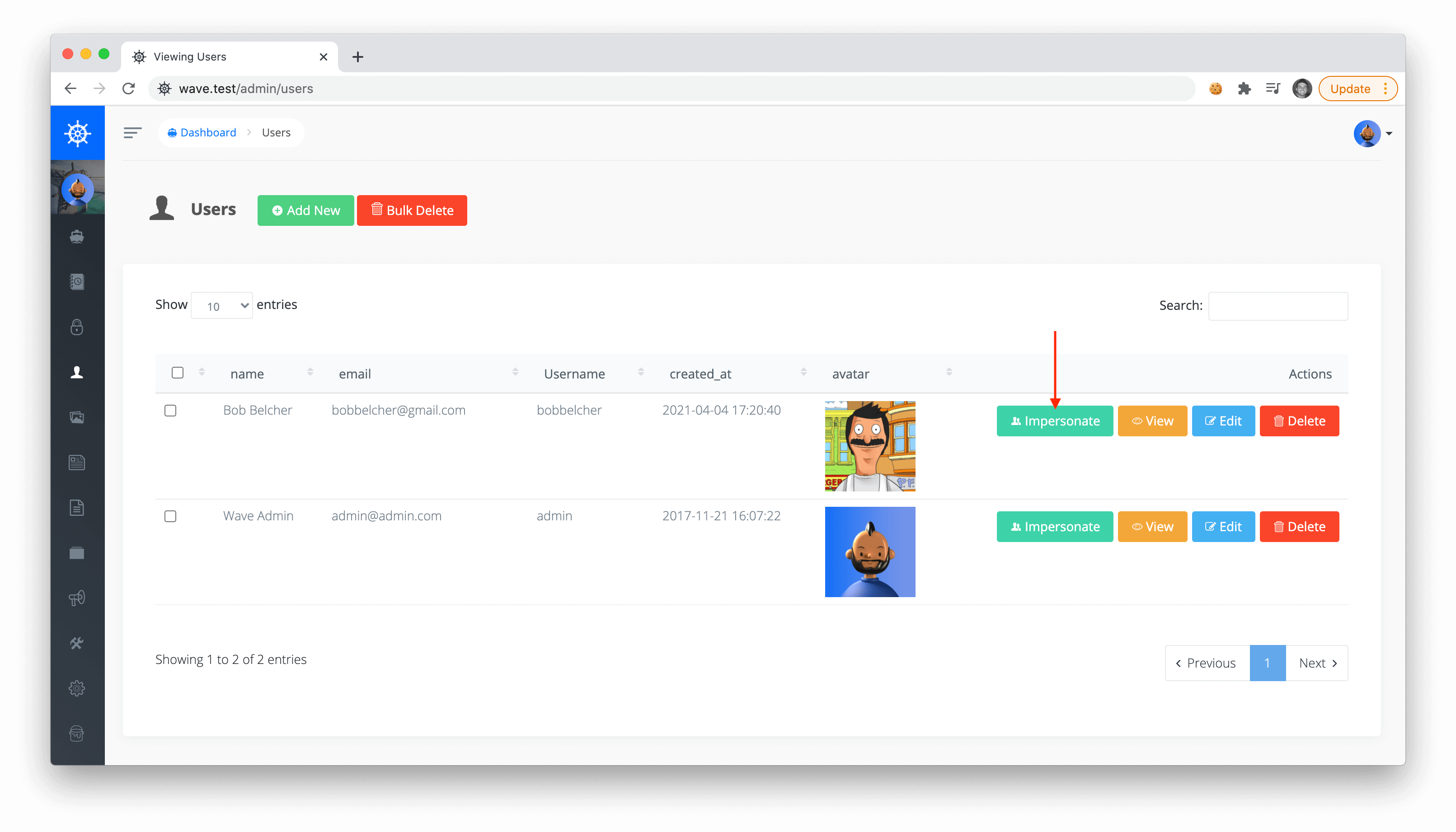
To impersonate a user you can visit your users section in your application at `/admin/users`. Find the user you want to impersonate and click on the Impersonate button.
|
||
|
|
|
||
|
|
|
||
|
|
|
||
|
|
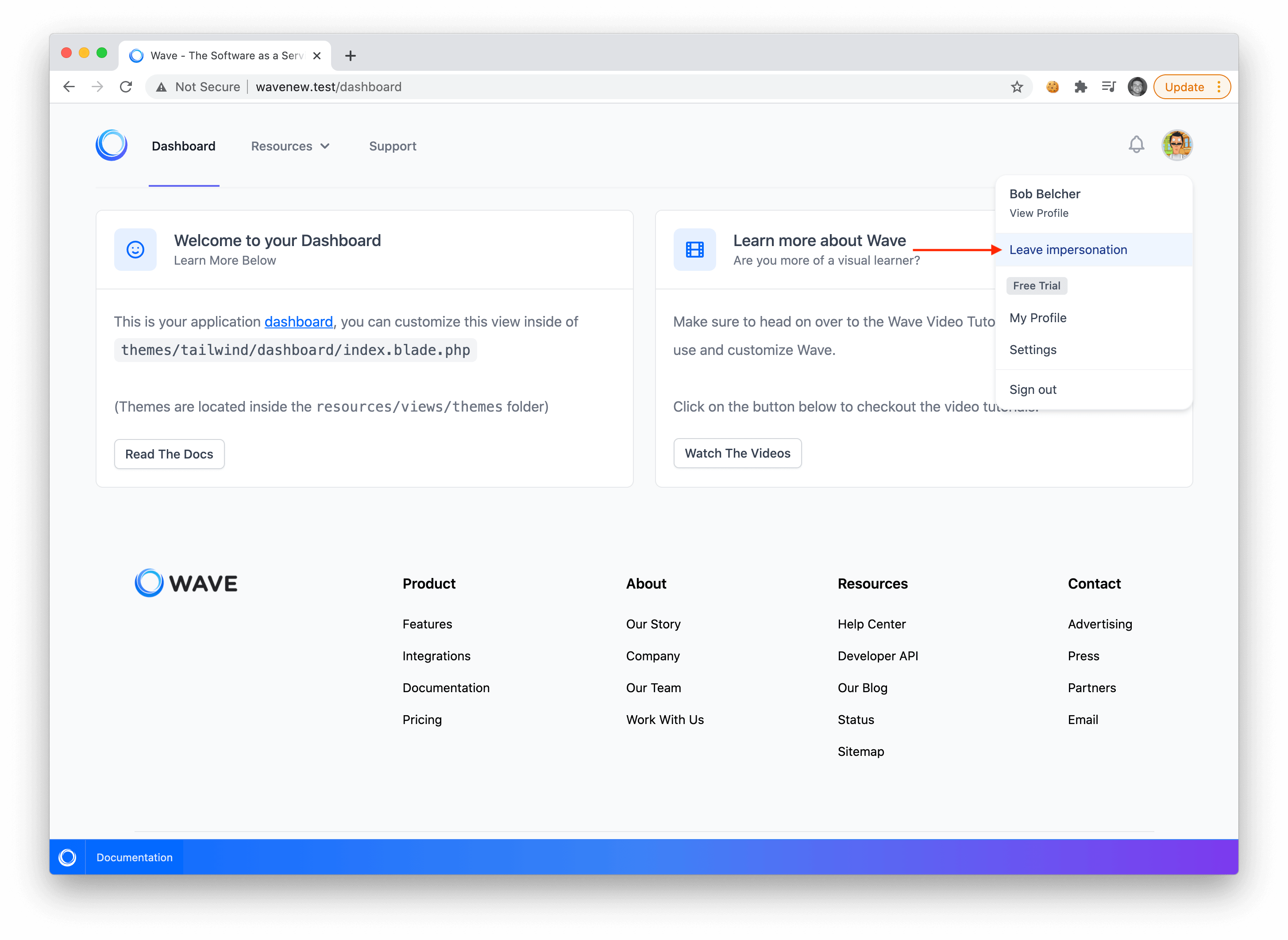
You will now see that you are logged in as that specific user. You can click the user menu dropdown and you'll see a new **Leave Impersonation** button to exit that user account and log back in as your original admin user.
|
||
|
|
|
||
|
|
|
||
|
|
|
||
|
|
Impersonations... 🍰 Piece of cake, right?
|