
58 lines
2.5 KiB
Markdown
58 lines
2.5 KiB
Markdown
# Authentication
|
|
|
|
Wave is built on top of the default Laravel Authentication and includes a few additional features such as email verification, forgot password, username login, and of course billing upon registration.
|
|
|
|
- [Registration](#register)
|
|
- [Login](#login)
|
|
- [Email Verification](#email-verification)
|
|
- [Login Options](#login-options)
|
|
- [Forgot Password](#forgot-password)
|
|
|
|
---
|
|
|
|
<a name="register"></a>
|
|
### Registration
|
|
|
|
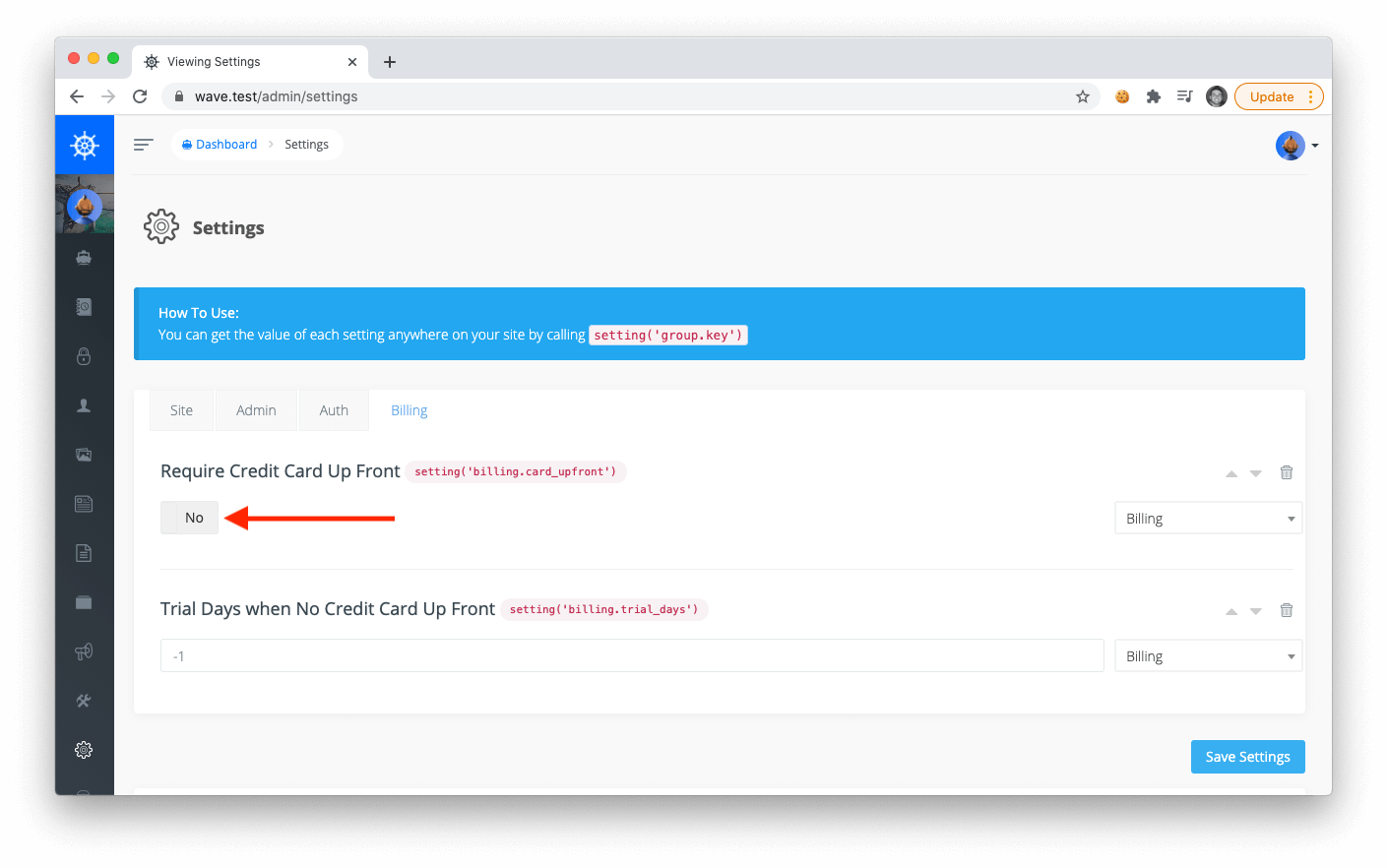
By default users will need to purchase in order to register for an account; however, you can open up free registration by visiting the admin settings `/admin/settings`, clicking on the Billing Tab, toggling off *Require Credit Card Up Front*, and save.
|
|
|
|
|
|
|
|
Now your users will be able to register for a free account.
|
|
|
|
<a name="login"></a>
|
|
### Login
|
|
|
|
After a user has created an account through your application, they can login by visiting the `/login` route. After successfully logging in the user will then be redirected to their dashboard.
|
|
|
|
> If you have just installed Wave you can login with the default email `admin@admin.com` and password as `password`
|
|
|
|
<a name="email-verification"></a>
|
|
### Email verification
|
|
|
|
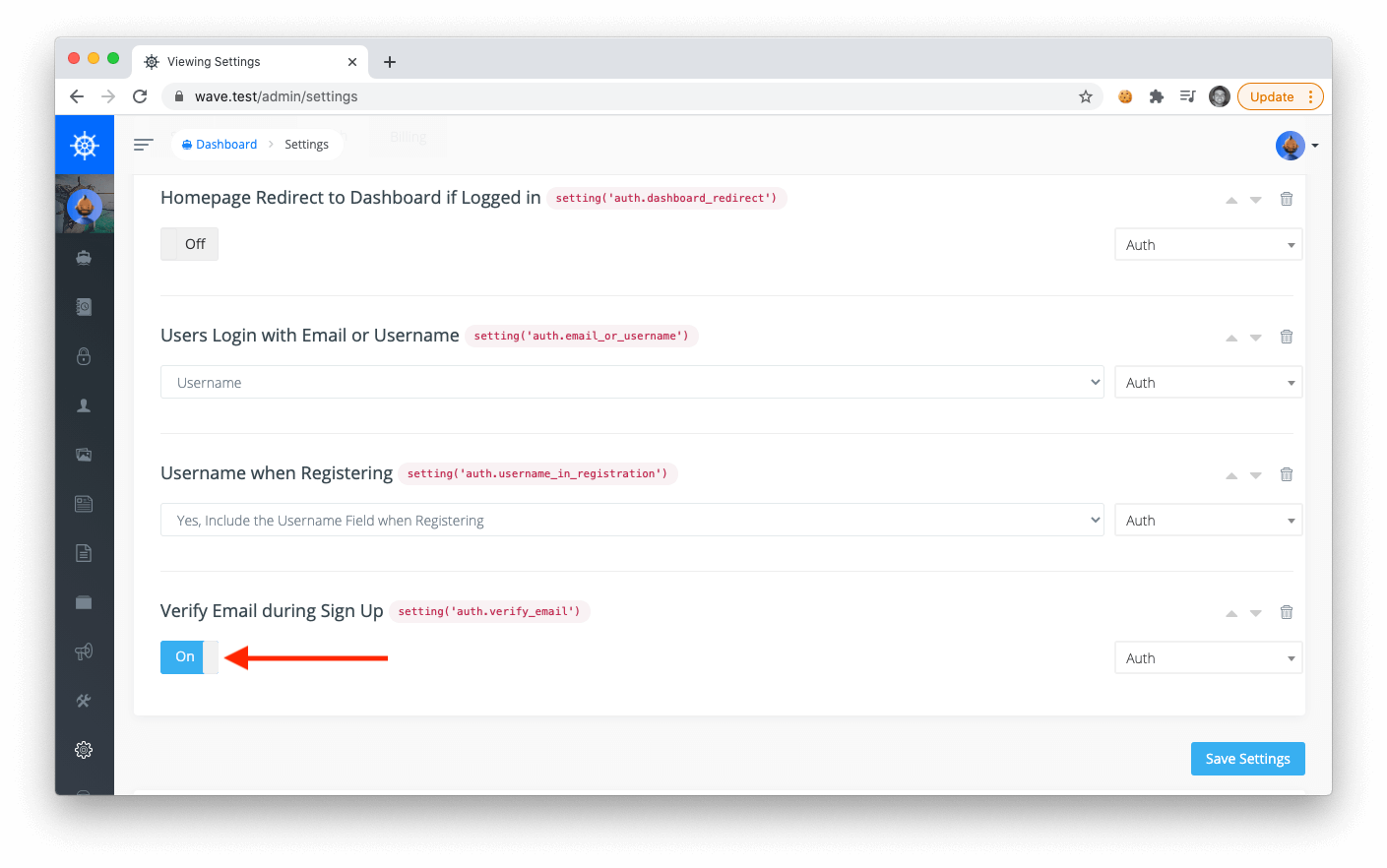
You may choose to require your users to verify their email before signing up for a free trial. To enable this you will need to visit the admin settings page at `/admin/settings`, click on the Auth tab and then toggle *Verify Email during Sign Up*
|
|
|
|
|
|
|
|
<a name="login-options"></a>
|
|
### Login with email or username
|
|
|
|
Optionally you may choose to allow users to login with their email address or their username. You can also change this in the **Auth** tab of your admin settings (see screenshot above).
|
|
|
|
<a name="forgot-password"></a>
|
|
### Forgot password
|
|
|
|
Users can click on the forgot password link on the login page and they will be taken to a form where they can enter their email address.The user will then receive an email with a link to your application where they can reset their password.
|
|
|
|
> Quick note on Email Verification and Forgot Password, your application must be configured to send email before these features can be used.
|
|
|
|
The simplest way to test emails in development mode is to use [Mailtrap](https://mailtrap.io/). You can sign up for a free account and then enter your mailtrap credentials in your `.env` file:
|
|
|
|
```html
|
|
MAIL_DRIVER=smtp
|
|
MAIL_HOST=smtp.mailtrap.io
|
|
MAIL_PORT=2525
|
|
MAIL_USERNAME=
|
|
MAIL_PASSWORD=
|
|
MAIL_ENCRYPTION=null
|
|
```
|