
1.6 KiB
Announcements
As you continue to improve your SAAS app you’re going to need a quick and easy way to communicate with your users. Announcements are perfect for letting your users know about bug fixes or special promotions.
Creating an Announcement
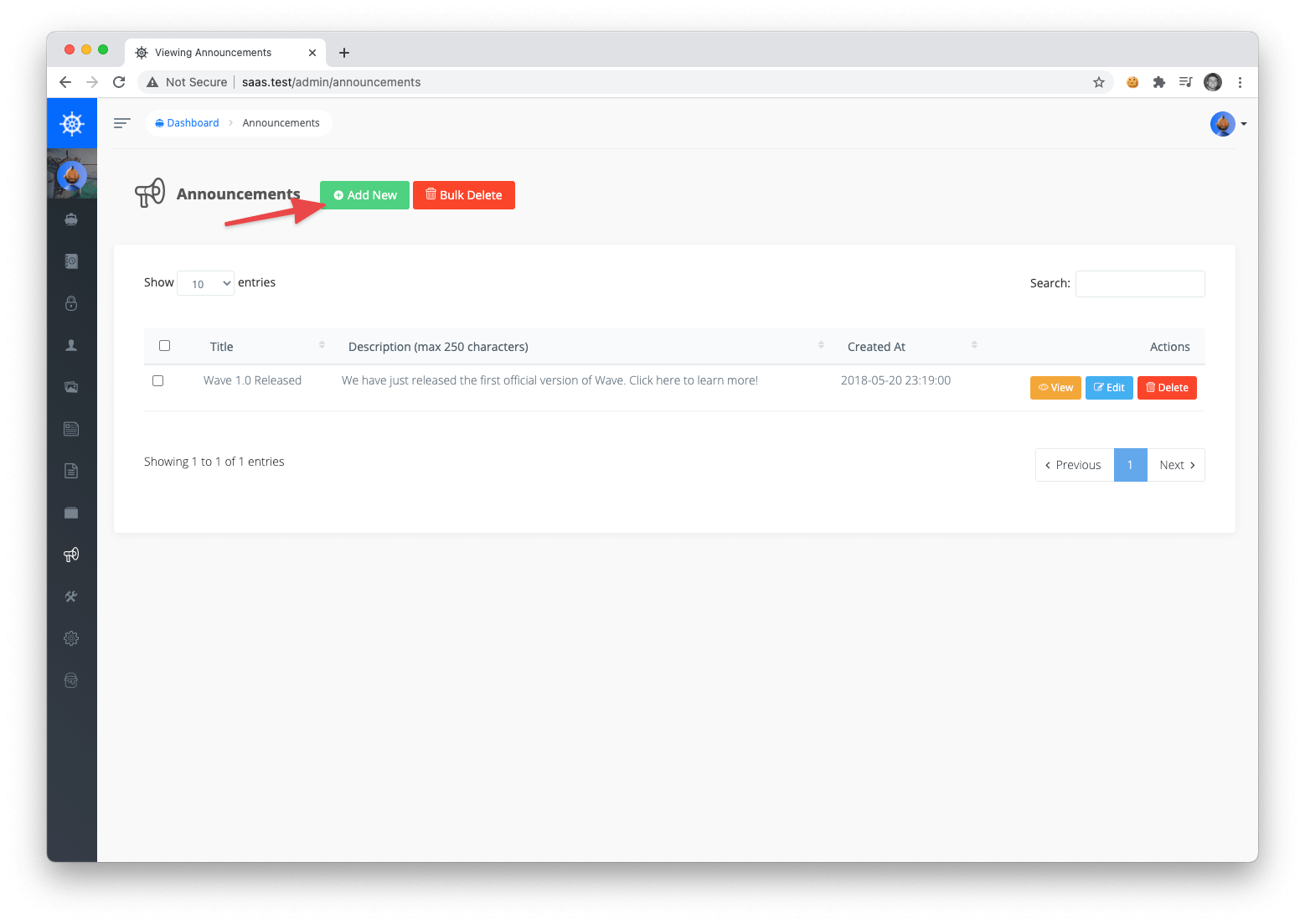
You can create a new announcement by visiting the admin announcements section at /admin/announcements. If you have past announcement you’ll see them listed out. Then to create a new announcement you’ll want to click on Add New button.
Then, simply add the content of your new announcement.
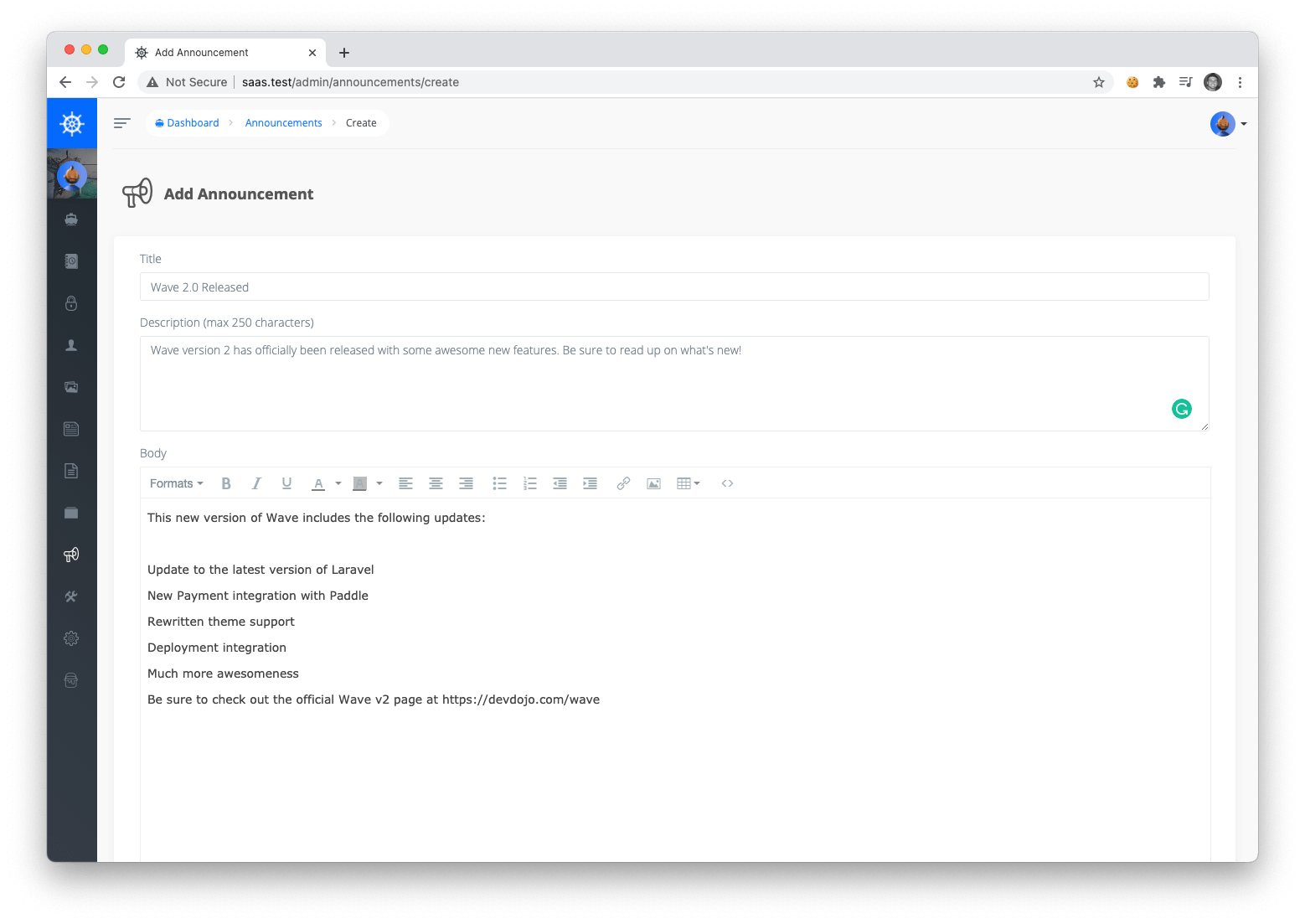
And now your users will see your latest announcement the next time they visit your application.
Viewing an Announcement
Every user in your application will see the latest announcement when they visit your application. The announcements will look as follows:
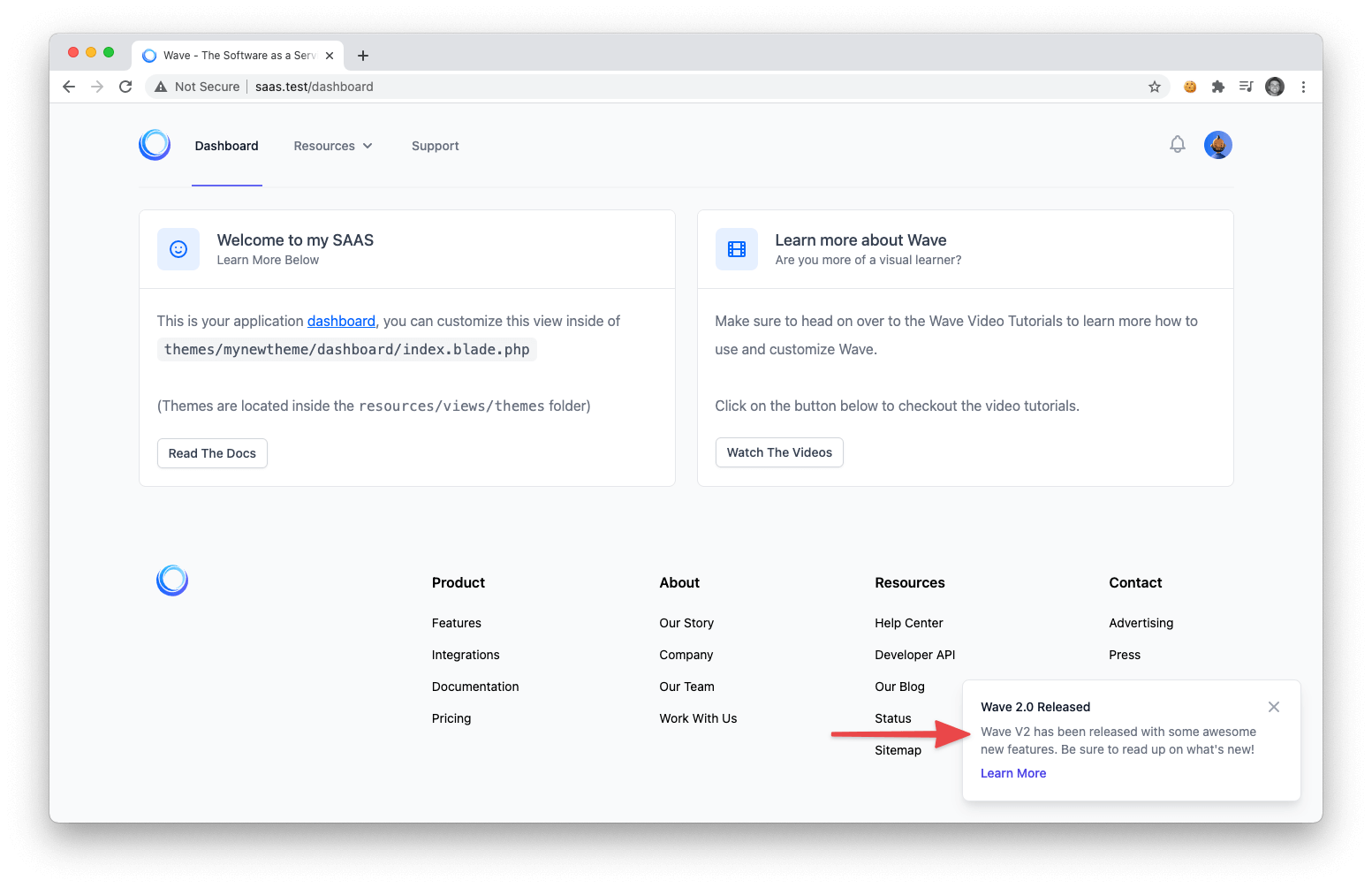
The title and description will be displayed in the popup announcement. When the user clicks the announcement they will be taken to the announcement page where they can view the full content of the announcement.
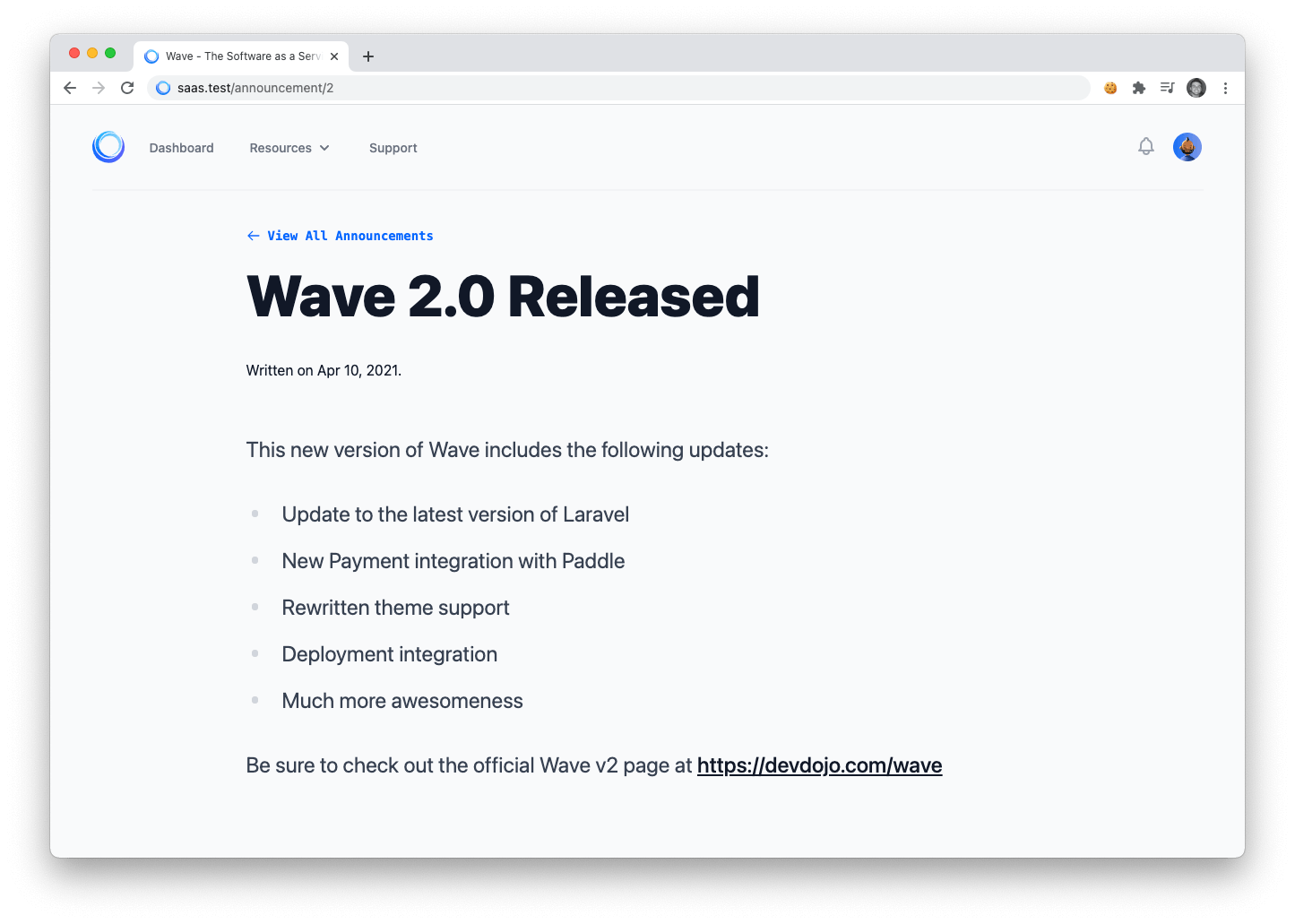
After the user clicks or closes the announcement they will no longer see that particular announcement.